Patient registration
Name, age, gender and phone. A Patient ID is given once and used on every later visit.
For diagnostic centres and pathology labs
Register the patient, bill the tests, print the sample label, enter results and hand over an approved report. Billing and the lab work sit in the same place, so nothing is entered twice.
No credit card needed. Web and Android app.
| Patient ID | Tests | Sample | Report |
|---|---|---|---|
| QB000121 | CBC, Sugar F | Taken | Approved |
| QB000122 | Lipid profile | Taken | Result entry |
| QB000123 | Thyroid profile | Pending | Waiting |
| QB000124 | Urine routine | Taken | Approved |
Sample screen with made-up data
Billing is done in one software and reports in another.
The visit, the bill and the report are one record. The front desk and the lab see the same patient.
Samples get mixed up when the counter is busy.
A label prints when the sample is taken, so each tube carries the patient and visit details.
Reports go out before anyone checks them.
Results wait for approval. Only approved reports are ready to print.
End of day cash does not match the bills.
Every bill and payment is saved with the visit, and the dashboard shows the day's tests and collection.
Name, age, gender and phone. A Patient ID is given once and used on every later visit.
Pick tests from your own test list with your own rates, take the payment and save the bill.
Mark samples as taken from a pending list. The sample label prints straight away.
Lab staff enter values for each test of the visit on one screen.
Results are checked and approved before the report is released, so mistakes are caught early.
Print the approved report and hand it to the patient.
Today's visits, pending samples, pending results and collection at a glance.
Staff check in and out, with salary and advances, in the same MyQuickBill account.
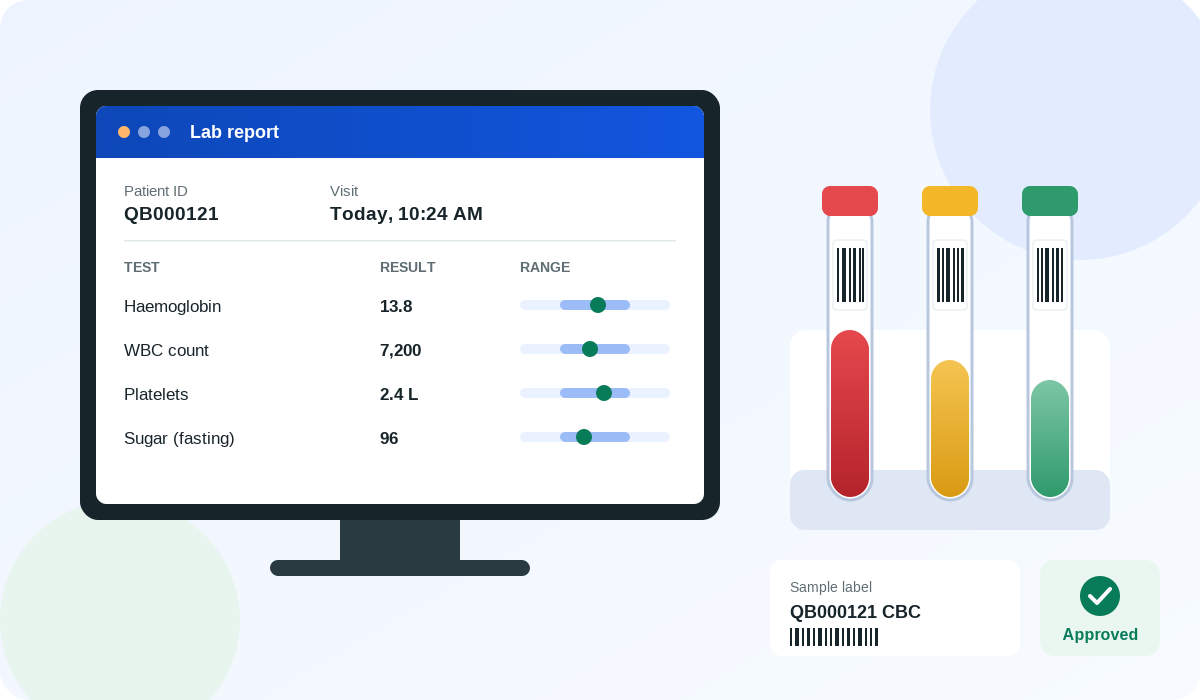
The counter registers and bills, the lab enters results, and the doctor or owner approves. Everyone sees the same visit.
Find the patient by phone or add a new one.
Add tests, take the payment, save the bill.
Mark the sample as taken and the label prints.
The lab enters values for each test.
Results are checked and approved.
The approved report is printed for the patient.
Both. MyQuickBill covers registration, test billing, sample collection with labels, result entry, approval and report print in one flow.
Yes. You keep your own test list and rates, and change them any time.
Yes. Each staff member gets a login, and you choose which pages each one can open.
Yes. It suits a single counter lab as well as a centre with several staff. It runs in the browser and on Android.
Yes. The first 30 days are free. We can also show you the full flow on a demo patient.
Start the free trial, or book a demo and we will walk through a full patient visit with you.